Every review, from Amazon or from your own shoppers, is on the Reviews page in the app's menu. Shopper reviews waiting for approval also show on Home.
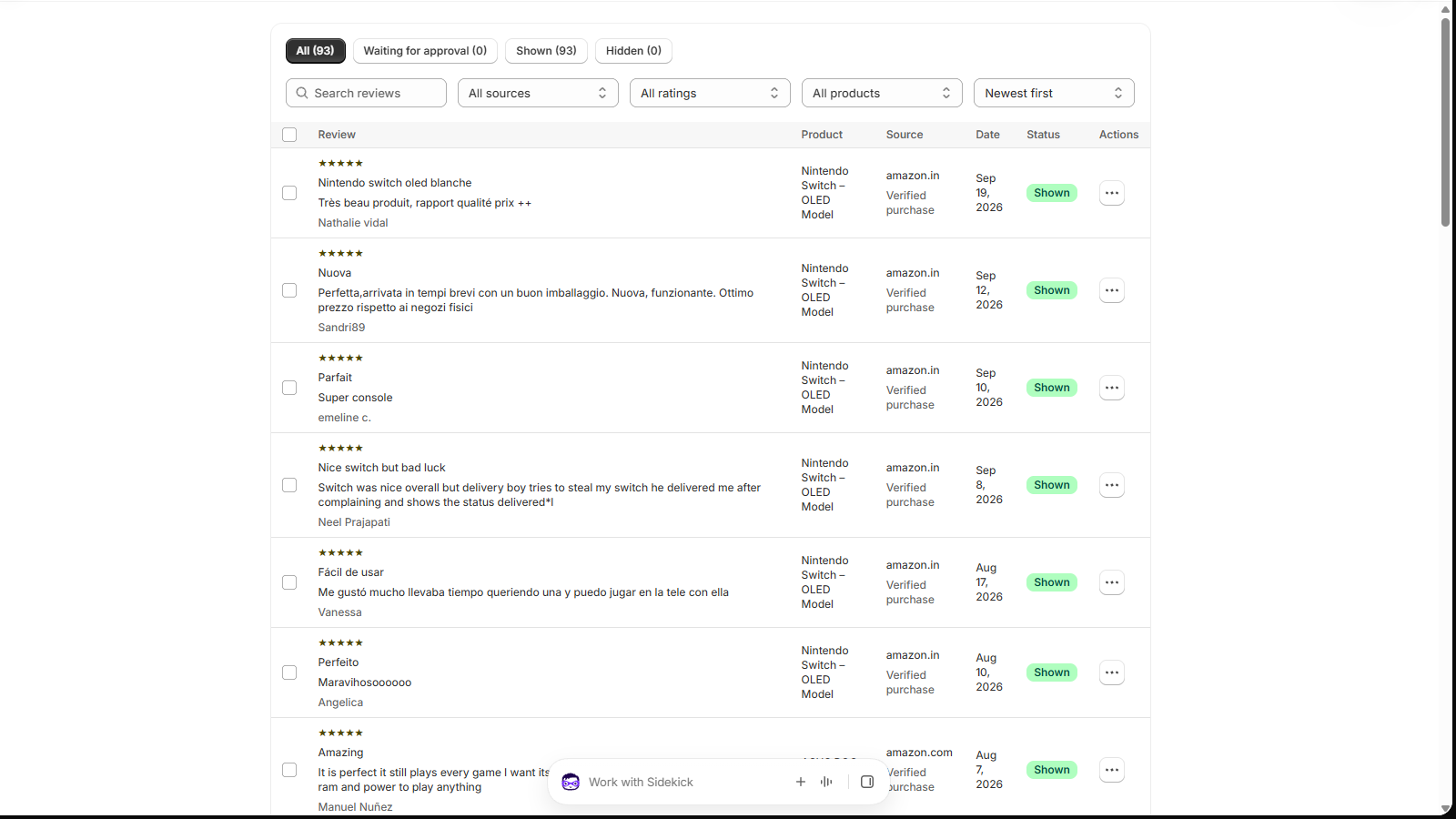
Find reviews
- Tabs: All, Waiting for approval, Shown and Hidden, with counts.
- Search by text, author or product.
- Filter by source (Amazon or your store), rating and product, and sort by date or rating. 25 reviews per page.
Approve shopper reviews
Reviews your shoppers write wait for you. Nothing appears on your store until you publish it.
- Open what's waitingUse the Waiting for approval tab on the Reviews page, or the Shopper reviews section on Home.
- DecidePublish to show it, Reject to keep it off your store, or Delete. Tick several to act on them at once.
There's no email alert for new shopper reviews yet, so check the Waiting for approval tab from time to time.
Reply publicly
Open a review's actions menu (⋯) and choose Reply. Your answer (up to 2,000 characters) appears under the review on the product page as "Reply from the store". Replies are a good way to answer a complaint where future buyers can see it.
Hide an Amazon review
- Select itTick one or more Amazon reviews, or use a review's actions menu.
- Choose a reasonChoose Hide… and pick why: spam or fake, not about this product, offensive, personal information, duplicate, or legal request.
Hidden reviews leave your store and your exports, and stay hidden when you import the product's reviews again. Show brings one back.
Why there's no "I don't like it" reason: hiding honest reviews because they're negative is review suppression, which consumer rules (like the US FTC rule on reviews) prohibit. The reasons are there to remove reviews that genuinely don't belong.
Edit a review
Choose Edit review in the actions menu to change the title, text, rating, reviewer name or date, for example to remove a phone number someone included.
- The original is kept and shown in the edit window.
- The review gets an Edited badge in the list, and Restore original undoes it.
- Edits survive re-imports.
Changing what a reviewer said, or their rating, can break consumer law. Edit to fix mistakes or remove personal details, not to change someone's opinion.
Store-wide switches
- Show only 5-star reviews on your store (Home › Display settings).
- Do not allow adding reviews (Home › Display settings), for stores that collect customer reviews in another app. See how.
- Shown on store per product, in the Connected products table.
Stuck on a step?
In the app, choose Help at the bottom right and Talk to support, or email support@tangledata.com. Tell us the product and what you see.