A connection tells the app which Amazon listing holds a product's reviews. Each Shopify product variant (by SKU) connects to one Amazon product. You can connect products in a form or from a CSV file.
Connect products in a form
Best for up to 50 products at a time.
- Open the formOn Home, choose Connect products.
- Choose your productsChoose Choose products and pick one or more products in Shopify's product picker. Each variant gets its own row.
- Paste each Amazon linkPaste the product's Amazon link into its row. The row shows what it read, for example
B0F8BVSK21 · amazon.in, so you can check it before saving. - SaveChoose Connect N products. Rows that can't be saved stay in the form with the reason; the rest are saved.
Got links in a spreadsheet? Copy the whole column and paste it into the first link box. The links fill that row and the rows below it, in order.
Which links work?
Any common Amazon product link: /dp/, /gp/product/, /product-reviews/, mobile links and short m. or smile. addresses. You can also paste a bare ASIN like B0F8BVSK21; a marketplace picker then appears so you can choose the Amazon site.
Connect many products from a CSV
Best for big catalogs: up to 500 rows per file (1 MB).
- Make the fileThree columns:
sku,asinandcountryCode(likeUS,INorGB). Theasincolumn can hold an Amazon link instead. Download a sample. - Upload itOn Home, scroll to Connect many products and add the file.
- Check the resultEach row is matched to exactly one Shopify variant by SKU. Rows that fail are listed with the reason, like "Row 7: No product has SKU …". The good rows are saved.
Supported marketplaces
amazon.com, .in, .co.uk, .de, .fr, .ca, .com.au, .it, .es, .co.jp, .com.br, .com.mx, .nl, .ae, .sa, .com.tr, .sg, .se, .pl and .com.be. Different products can use different marketplaces.
Change or remove a connection
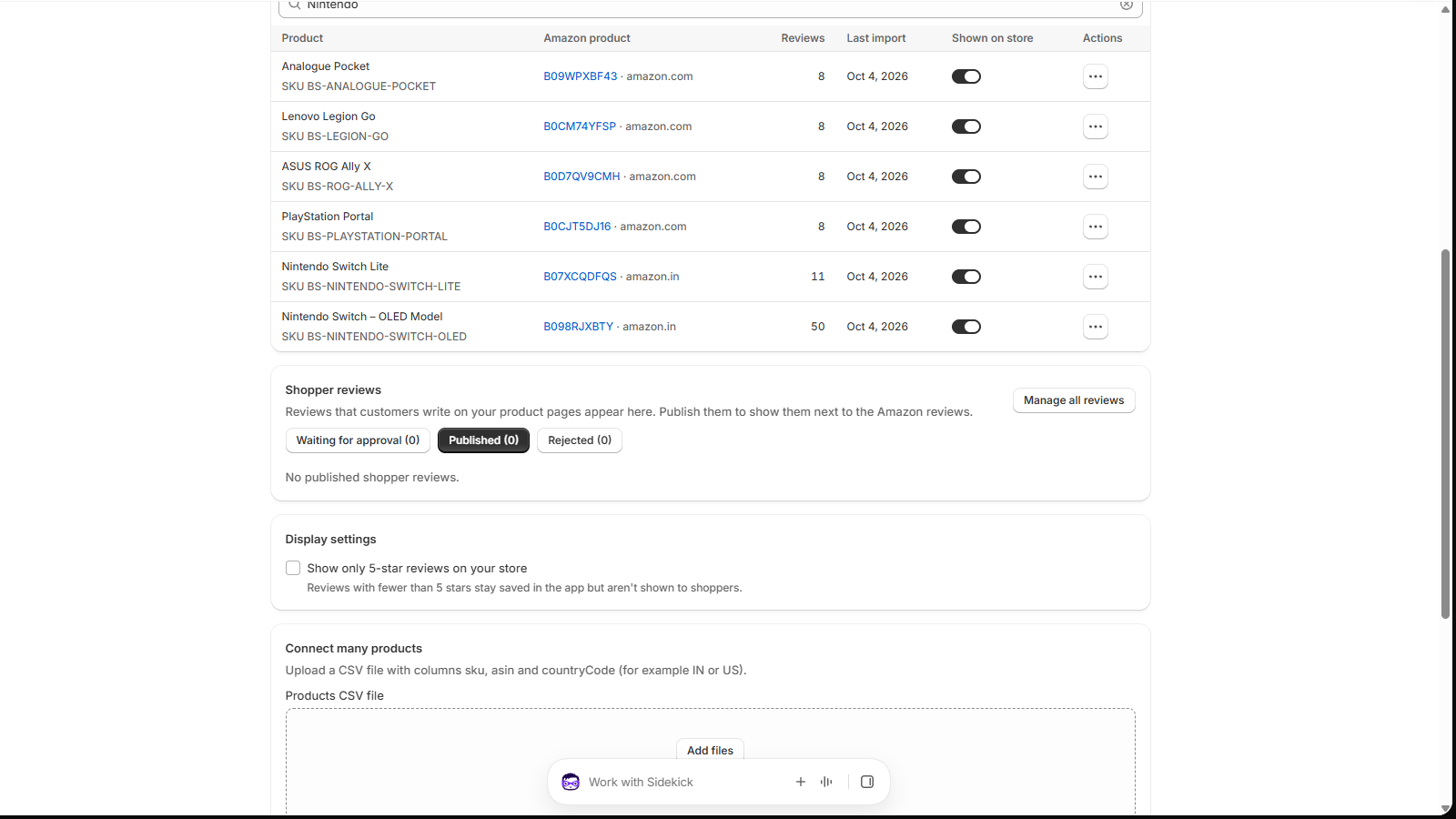
- Hide reviews without deleting them: turn off Shown on store in the product's row.
- Point to a different Amazon product: connect the product again with the new link and tick Replace the current Amazon product. This deletes the old Amazon reviews.
- Remove it: choose Remove connection in the row's actions menu. This deletes the connection and its Amazon reviews.
Chrome extension installed? The form has Collect reviews on Amazon after connecting switched on, so saving starts collecting 100 reviews per product straight away. More on collecting.
Stuck on a step?
In the app, choose Help at the bottom right and Talk to support, or email support@tangledata.com. Tell us the product and what you see.