The app shows reviews with two theme app blocks. You place them in Shopify's theme editor, like any other section of your product page.
| Block | Shows | Where it goes |
|---|---|---|
| Reviews from Amazon | Average rating, rating breakdown, AI summary, review cards, Show more reviews and the Write a review form | Below the product details |
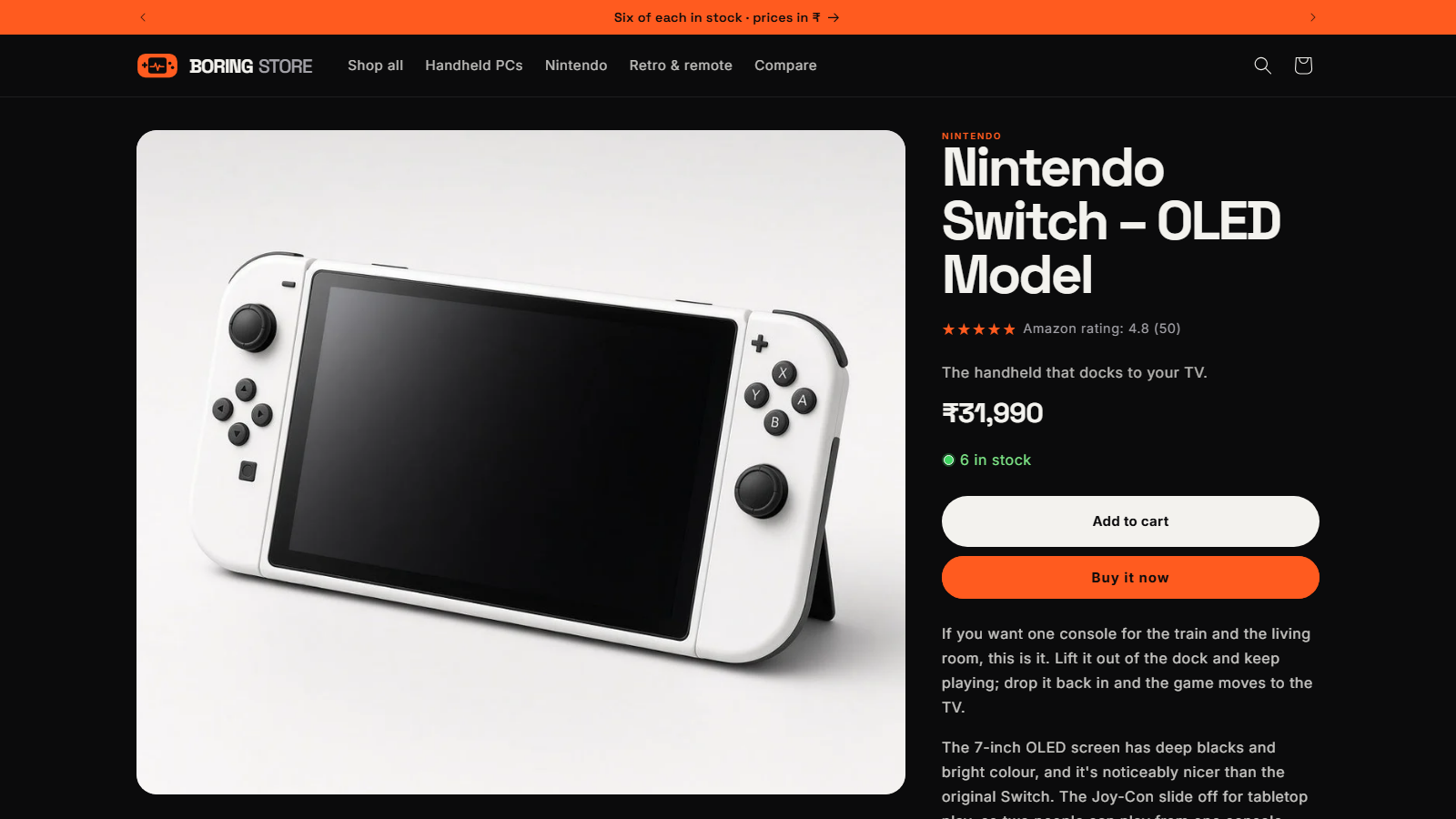
| Star rating | Stars with the average and count, like "Amazon rating: 4.4 (128)", linking to the reviews | Under the product title |
Add the Reviews block (the quick way)
- Use the setup guideOn Home, choose Add Reviews block in the setup guide. Your theme editor opens on a product page with the block already placed.
- Move it if you likeDrag the block to where you want it on the page.
- SaveChoose Save in the theme editor. The reviews are live.
Add the Star rating block
- Open the theme editorIn Shopify, go to Online Store › Themes › Customize, and switch to a product page at the top.
- Add the blockIn the Product information section, choose Add block, open the Apps tab and choose Star rating.
- Place it under the titleDrag it just below the product title, then Save.
Block settings worth knowing
Select the Reviews from Amazon block in the theme editor to see its settings:
- Heading: for example "What buyers say" or "Reviews from Amazon".
- Let shoppers write reviews: shows the Write a review form.
- Layout: grid or list, and Reviews shown at first (3 to 24).
- Show rating breakdown and Let shoppers sort reviews, with a default in Sort reviews by: newest, highest, lowest or most detailed.
- Show reviews written on your store first, Show review date and the Verified purchase label.
- Show AI summary of reviews, with its own heading. More on the summary.
- Colors, corner radius and Lines shown before Read more.
The Star rating block has a label, a number-of-reviews switch and its own colors.
Want the same look on every product? Set it once on the app's Appearance page. It overrides the matching block settings everywhere.
Check it on your store
Open a connected product on your store. If you don't see reviews:
- Make sure the theme is saved and the block is on the product template that product uses.
- Check the product has reviews (the Reviews column on Home) and Shown on store is on.
- Check Show only 5-star reviews isn't hiding them.
- Reload after a couple of minutes: reviews are cached briefly.
A product with no reviews yet hides the stars and shows "No reviews yet. Be the first to review this product." (or hides the block if the form is off).
Can't find the blocks? Your theme needs to support app blocks (Online Store 2.0). Older themes can't show them. All current themes in the Shopify Theme Store support them.
Stuck on a step?
In the app, choose Help at the bottom right and Talk to support, or email support@tangledata.com. Tell us the product and what you see.